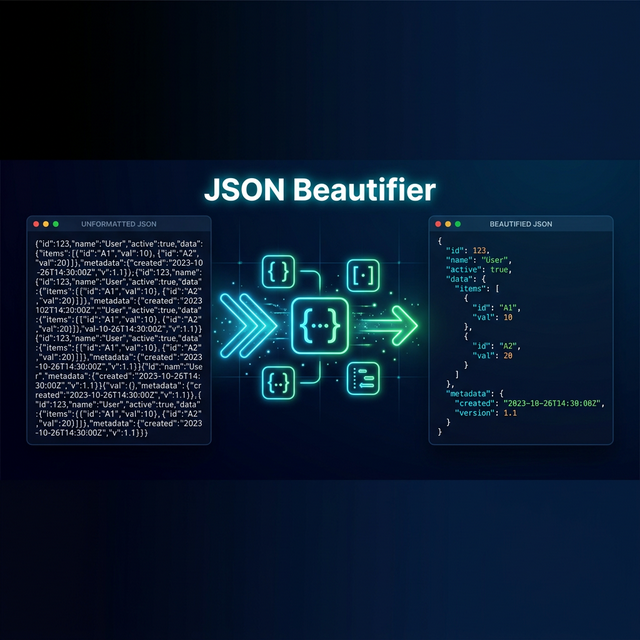
Working with JSON APIs inevitably means dealing with minified, single-line JSON responses that are impossible to read. A JSON beautifier (also called JSON formatter or pretty-printer) adds proper indentation and line breaks, making complex nested structures immediately comprehensible. This guide covers when and how to use JSON beautification effectively.
Why Beautify JSON?
API responses, configuration files, and log outputs are often minified — all whitespace removed to save bandwidth. While machines don't care, developers need readable formatting for:
- Debugging API responses — quickly identify missing fields and malformed data
- Configuration editing — safely modify JSON config files without breaking syntax
- Code reviews — compare JSON structures in pull requests
- Documentation — include readable JSON examples in docs and blog posts
- Learning — understand complex nested JSON by seeing the hierarchy
Before & After: JSON Beautification
Before (Minified — 1 line)
{"users":[{"id":1,"name":"Alice","email":"[email protected]","address":{"city":"Istanbul","zip":"34000"},"roles":["admin","editor"]},{"id":2,"name":"Bob","email":"[email protected]","address":{"city":"Ankara","zip":"06000"},"roles":["viewer"]}],"total":2,"page":1}Minified JSONAfter (Beautified — Readable)
{
  "users": [
    {
      "id": 1,
      "name": "Alice",
      "email": "[email protected]",
      "address": {
        "city": "Istanbul",
        "zip": "34000"
      },
      "roles": ["admin", "editor"]
    },
    {
      "id": 2,
      "name": "Bob",
      "email": "[email protected]",
      "address": {
        "city": "Ankara",
        "zip": "06000"
      },
      "roles": ["viewer"]
    }
  ],
  "total": 2,
  "page": 1
}Beautified JSON
JSON Beautification in Code
JavaScript
// Beautify
const formatted = JSON.stringify(data, null, 2);

// Minify
const minified = JSON.stringify(data);JavaScript
Python
import json

# Beautify
formatted = json.dumps(data, indent=2, ensure_ascii=False)

# Minify
minified = json.dumps(data, separators=(',', ':'))Python
C#
using System.Text.Json;

var options = new JsonSerializerOptions { WriteIndented = true };

// Beautify
string formatted = JsonSerializer.Serialize(data, options);

// Minify (default — no indentation)
string minified = JsonSerializer.Serialize(data);C#
Command Line (jq)
# Beautify
cat data.json | jq '.'

# Minify
cat data.json | jq -c '.'

# Beautify API response
curl -s https://api.example.com/users | jq '.'Bash
Common JSON Syntax Errors
A good beautifier also catches syntax errors. Here are the most common mistakes:
- Trailing commas —
{"a": 1,}is invalid JSON (unlike JavaScript) - Single quotes — JSON requires double quotes:
'key'→"key" - Unquoted keys —
{name: "Alice"}→{"name": "Alice"} - Comments — JSON doesn't support
//or/* */comments - Missing commas — between array elements or object properties
If you need comments, trailing commas, or unquoted keys, consider JSON5 — a superset of JSON that allows these features. However, standard APIs and most tools require strict JSON.
Polymorpher's Code Beautifier
Polymorpher's Code Beautifier goes beyond just JSON — it auto-detects and formats 6 code formats: JSON, XML, HTML, SQL, CSS, and C#. The reverse transform (swap button) acts as a minifier, compressing formatted code back into compact form.
Try Code Beautifier
Paste any JSON, XML, SQL, CSS, HTML, or C# — auto-detected and formatted instantly. Free, no sign-up.
Open Beautifier →Conclusion
JSON beautification is a daily task for any developer working with APIs. Whether you use
JSON.stringify(data, null, 2) in code or an online tool like Polymorpher's Code Beautifier, readable JSON saves debugging time and
prevents configuration errors. For converting beautified JSON into code classes, check out the JSON to Classes converter, and for encoding JSON data, use the Base64 Encoder.