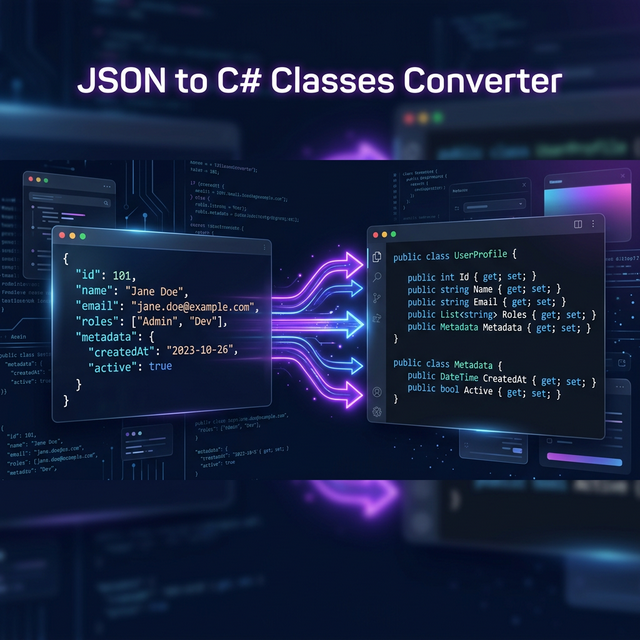
Working with APIs in .NET means dealing with JSON responses constantly. Manually writing C# classes to match complex JSON structures is tedious, error-prone, and wastes valuable developer time. In this guide, you'll learn how to convert JSON to C# classes instantly — covering nested objects, arrays, naming conventions, and real-world patterns.
Why Convert JSON to C# Classes?
When you consume a REST API or parse a JSON file in C#, you need strongly-typed models to
deserialize the data. Without them, you're stuck with dynamic objects or manual
JsonDocument navigation — both of which lose IntelliSense, compile-time safety, and
readability.
Benefits of using generated C# classes:
- Type safety — catch data mismatches at compile time, not runtime
- IntelliSense support — autocomplete property names in your IDE
- Serialization performance —
System.Text.Jsonsource generators work with concrete types - Code readability — self-documenting models make APIs easier to understand
Step 1: Understand Your JSON Structure
Before converting, analyze the JSON response. Here's a typical API response from a weather service:
{
  "location": {
    "city": "Istanbul",
    "country": "TR",
    "coordinates": {
      "lat": 41.0082,
      "lng": 28.9784
    }
  },
  "current": {
    "temperature": 18.5,
    "humidity": 65,
    "conditions": ["partly cloudy", "windy"],
    "wind": {
      "speed": 12.3,
      "direction": "NE"
    }
  },
  "forecast": [
    {
      "date": "2026-02-22",
      "high": 21.0,
      "low": 14.5,
      "conditions": "sunny"
    }
  ]
}JSON
This JSON has nested objects (coordinates, wind),
arrays (conditions, forecast), and mixed types
(strings, numbers, arrays of objects). A converter needs to handle all of these correctly.
Step 2: Choose Your C# Target Format
C# offers several class formats for JSON models. Choosing the right one depends on your use case:
C# Records (Recommended for .NET 6+)
Records are immutable by default and provide built-in equality comparison — perfect for API DTOs:
public record WeatherResponse(
    Location Location,
    Current Current,
    List<ForecastDay> Forecast
);

public record Location(
    string City,
    string Country,
    Coordinates Coordinates
);

public record Coordinates(
    double Lat,
    double Lng
);C#
POCO Classes (Traditional Approach)
Plain Old CLR Objects with getters and setters — compatible with all .NET versions:
public class WeatherResponse
{
    public Location Location { get; set; }
    public Current Current { get; set; }
    public List<ForecastDay> Forecast { get; set; }
}

public class Location
{
    public string City { get; set; }
    public string Country { get; set; }
    public Coordinates Coordinates { get; set; }
}C#Use records for read-only API responses and classes with setters when you need to modify properties after deserialization (e.g., form binding in ASP.NET).
Step 3: Handle Naming Conventions
JSON typically uses camelCase (firstName) while C# uses
PascalCase (FirstName). Configure your serializer to handle this
automatically:
var options = new JsonSerializerOptions
{
    PropertyNamingPolicy = JsonNamingPolicy.CamelCase,
    PropertyNameCaseInsensitive = true
};

var weather = JsonSerializer.Deserialize<WeatherResponse>(json, options);C#
Alternatively, use [JsonPropertyName] attributes for individual properties when the JSON naming
is inconsistent:
public class Location
{
    [JsonPropertyName("city")]
    public string CityName { get; set; }

    [JsonPropertyName("country_code")]
    public string CountryCode { get; set; }
}C#
Step 4: Handle Edge Cases
Nullable Properties
API responses often include null values. Enable nullable reference types and mark optional
properties:
public record Location(
    string City,
    string Country,
    Coordinates? Coordinates  // May be null
);C#
Dynamic Keys (Dictionary Pattern)
When JSON has dynamic property names, use Dictionary<string, T>:
// JSON: { "prices": { "USD": 1.0, "EUR": 0.92, "GBP": 0.79 } }
public record PriceData(
    Dictionary<string, decimal> Prices
);C#
Arrays of Mixed Types
When an array contains different types, use JsonElement or object as the element
type:
// JSON: { "data": [1, "hello", true, null] }
public record MixedData(
    List<JsonElement> Data
);C#Don't use DateTime for JSON date strings unless you're sure the
format is ISO 8601. Use string first, then parse manually with
DateTimeOffset.TryParse() for safer handling. Check out our DateTime Converter tool for format reference.
Step 5: Use Polymorpher for Instant Conversion
Instead of writing classes manually, use Polymorpher's JSON to Classes Converter to generate them in seconds. It supports 10 programming languages including C#, Java, Python, TypeScript, Go, Kotlin, Dart, Ruby, Swift, and Rust.
Simply paste your JSON, select C# as the target language, and copy the generated classes. The converter automatically handles:
- ✅ Nested objects with proper class hierarchy
- ✅ Arrays and lists with correct element types
- ✅ PascalCase naming convention for C#
- ✅ Nullable properties for optional fields
- ✅ Records, POCOs, and class-based output
Try JSON to C# Converter
Paste your JSON and get instant C# classes. Free, no sign-up required.
Open Converter →Performance: System.Text.Json Source Generators
For high-performance scenarios in .NET 8+, use source generators to avoid runtime reflection:
[JsonSerializable(typeof(WeatherResponse))]
internal partial class WeatherJsonContext : JsonSerializerContext
{
}

// Usage:
var weather = JsonSerializer.Deserialize(
    json,
    WeatherJsonContext.Default.WeatherResponse
);C#
Source generators create serialization code at compile time, resulting in faster startup, lower memory allocation, and AOT compilation support — critical for cloud-native and serverless .NET applications.
Conclusion
Converting JSON to C# classes is a fundamental skill for any .NET developer working with APIs. Whether you choose records for immutability, POCOs for flexibility, or source generators for performance — having strongly-typed models makes your code safer, more readable, and easier to maintain.
Use Polymorpher's free JSON to C# converter to skip the manual work and generate production-ready classes in seconds. It also supports SQL to C# conversion for database models, and code beautification to format your output perfectly.